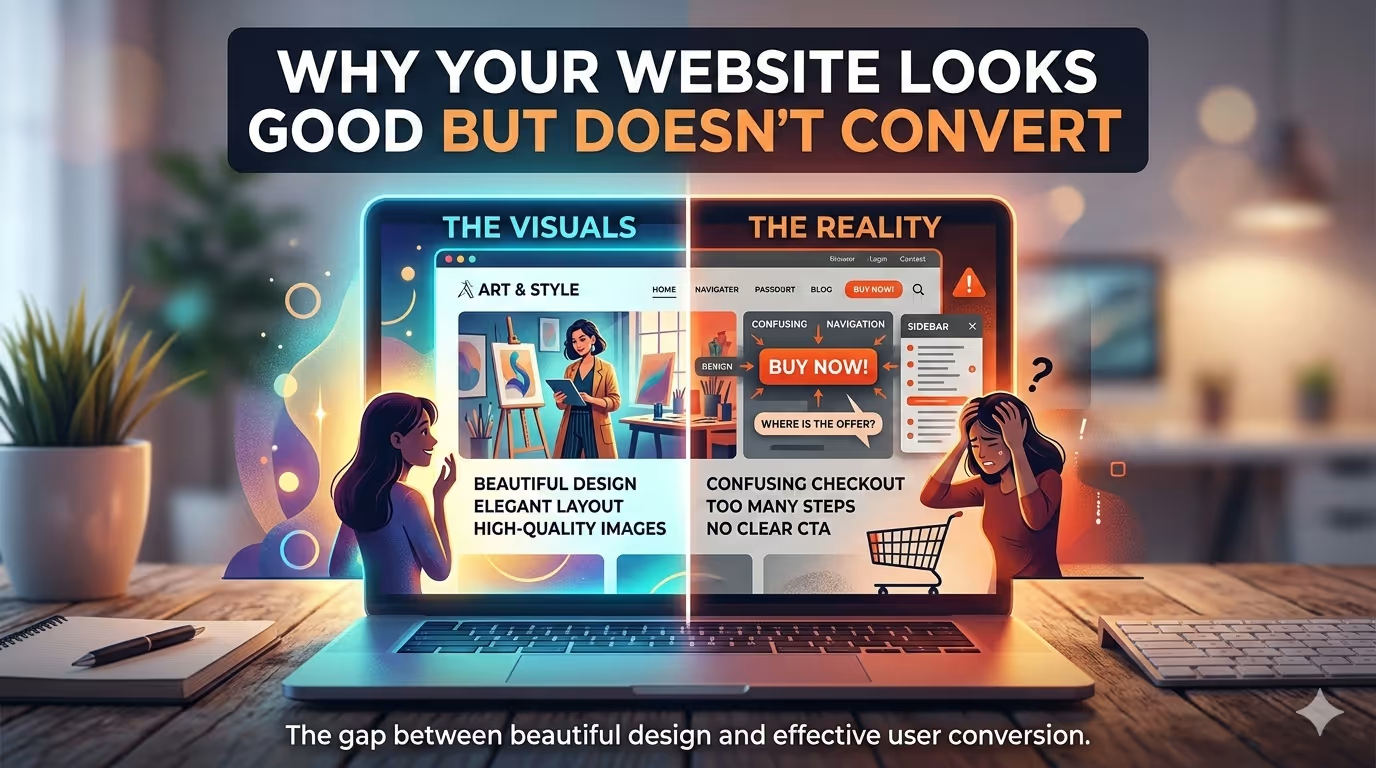
I’ve lost count of the number of times a potential client has sent me a URL with the same frustrated preface: “The site looks exactly how we wanted, but the phone just isn’t ringing.”
They aren’t wrong. The site does look good. The typography is solid, the hero image is high-resolution, and the brand colours are consistent. On the surface, it ticks every box.
But here is the hard truth that many business owners and even some designers miss: A website is not a poster. It is a performance engine.
If your site looks like a million dollars but runs like a rusty bicycle, visitors won’t stick around to admire the paint job. They’ll leave. And they’ll take their business to a competitor whose site might be less pretty, but ultimately more useful.
In my work as a WordPress developer, I spend most of my time not just building new sites, but fixing the ones that are broken. Not broken in the sense of “white screen of death” broken, but broken in the sense that they fail to convert visitors into customers.
Let’s dig into the real reasons your “good-looking” site is underperforming.
This is the number one killer of conversions. You can have the most stunning, cinematic website ever designed, but if it takes more than three seconds to load, your potential customer is already back on Google looking at your competitor.
I see this constantly with premium WordPress themes. They come packed with sliders, parallax effects, heavy stock video backgrounds, and dozens of JavaScript libraries. The designer sees it in a demo environment on a local machine with a fibre connection and thinks it’s breathtaking. The client approves it because it looks expensive.
But what happens when a real user on a 4G connection in a suburban area tries to load it?
The Technical Fix:
Good looks mean nothing if the user can’t see them. You have to treat performance as a feature. This means:
I’ve taken sites that looked fantastic but took 8 seconds to load, stripped back the bloat, and watched their conversion rates climb simply because the user could finally use the site. If you suspect speed is your issue, a deep dive into performance metrics is the first place to start. Sometimes, it requires a comprehensive wordpress speed optimization service to untangle the mess.
We are past the point where mobile traffic is a secondary concern. For most businesses, it’s the primary source of visitors. Yet, I still audit sites that are “responsive” in name only.
What looks good on a 27-inch iMac often turns into a disaster on an iPhone. Tiny buttons, text that requires pinching to read, and navigation menus that are impossible to use with a thumb.
The User Experience Reality:
On mobile, users are often in a hurry. They want to call you, find your address, or quickly check a price. If your beautifully designed contact button is hidden behind a hamburger menu, or your phone number isn’t a clickable link, you’ve just created friction.
Google knows this. Their algorithms prioritize mobile-first indexing. But more importantly, your customers know it. They will associate the frustration of navigating your site on their phone with the frustration of doing business with you.
The Technical Fix:
Responsive design isn’t just about shrinking the layout. It’s about rethinking the user flow for smaller screens. As part of my approach to affordable web design for small business, I always strip the mobile experience down to its core essentials. What is the one thing the user needs to do? Make that the biggest, easiest thing to tap.
A common misconception in design is that “clean” and “minimalist” automatically equate to “high converting.” Sometimes, a site is so minimalist that the user has no idea what to do next.
Conversions happen when you guide the user’s eye. This is where information architecture and visual hierarchy come into play.
If your homepage has:
…you are creating “analysis paralysis.” When faced with too many choices, the human brain often chooses nothing.
The Strategic Fix:
Every page on your website needs one primary goal. One. The design must serve that goal.
This isn’t just design theory; it’s conversion logic. The structure of your content is just as important as the visual wrapper around it.
You’ve built a beautiful shopfront, but when people walk inside, there are no other customers. Online, “other customers” are your trust signals.
I see so many pristine websites that are missing the fundamental elements that prove the business is real and reliable:
From a technical standpoint, I often recommend implementing schema markup (structured data) for reviews. This not only displays stars in the search results but also reinforces that validation the moment a user finds you on Google.
You can drive traffic to a beautiful site, but if the technical foundation is shaky, that traffic will bounce. This is a niche I focus on extensively as a freelance seo expert.
Conversion starts before the click. If your title tags and meta descriptions are poorly written or duplicated, the right people won’t click your link in the first place. If they do click and the page loads slowly (we covered that), or if the content doesn’t match the search intent, they leave.
But deeper than that, if your site architecture is a mess—orphaned pages, broken internal links, poor XML sitemaps—search engines can’t properly understand your content. You might rank for the wrong keywords, attracting window shoppers rather than buyers.
The Foundation Fix:
Often, the gap between design and conversion lies in the execution. I specialize in custom wordpress development because it gives me the flexibility to build exactly what a business needs, not just what a theme allows.
I frequently inherit sites built with page builders that were pushed to their absolute limits. The developer wanted a specific functionality, but instead of writing a custom function, they hacked together a workaround using fifty different plugins. The result? A slow, insecure site that breaks every time a plugin updates.
The Developer’s Perspective:
If you need a specific way to capture leads, don’t force a generic contact form plugin to do it. Have a custom wordpress plugin developer build a solution that does exactly what you need, and nothing else. It will be lighter, faster, and more secure.
If you’re an e-commerce store, the default WooCommerce setup is a starting point, not a finish line. It needs to be optimized for checkout flow, abandoned carts, and product discovery. A skilled woocommerce website developer knows how to streamline that experience to reduce friction and increase sales.
This one is subtle, but important. If your site gets hacked, or even if it looks like it might be insecure, conversions will plummet.
Imagine a visitor clicks “Add to Cart,” and their browser throws a warning that the connection is not private. They are gone. They won’t come back. They certainly won’t enter their credit card details.
Beyond the obvious malware attacks, simple neglect kills trust. If you aren’t performing regular updates and maintenance, you’re creating vulnerabilities. I can’t tell you how many sites I’ve had to rescue with a wordpress malware removal service, only to find the client lost weeks of sales because Google blacklisted their domain.
The Maintenance Reality:
A website is not a “set it and forget it” asset. It requires ongoing care. Plugins need updating, security patches need applying, and databases need optimizing. This is why I always advocate for proactive wordpress maintenance services. It’s the digital equivalent of servicing your car; you do it to prevent a breakdown, not just to fix one.
So, does that mean you should sacrifice aesthetics? Absolutely not. A well-designed site is crucial for building a first impression of professionalism.
But the design must be in service of the user and the business goal, not the other way around. When I build a site, I don’t just ask “Does this look good?” I ask:
A website that converts is one where the beautiful exterior is backed by a high-performance engine. It’s fast, it’s secure, it’s intuitive, and it speaks directly to the person who landed on it.
If your current website is all show and no go, you don’t necessarily need a complete redesign. You need a technical audit to find out where the breakdown is happening. Sometimes, it’s a simple fix. Other times, it requires a fundamental shift in how you approach your digital presence. But the first step is admitting that “looking good” is just the price of entry, not the key to the bank.