You launched the website six months ago. Maybe you paid a designer, or perhaps you bravely tackled a page builder on your own. The site looks sharp on your phone. The logo is in place. The colours match your brand.
And yet, the phone does not ring. The contact form collects dust. Your inbox remains empty of quote requests.
I see this situation constantly. Business owners sit in front of a website that cost them time or money, wondering why it operates like a digital brochure instead of a lead generation tool. They assume more traffic is the answer. Sometimes it is. But more often, the problem runs deeper than visitor volume.
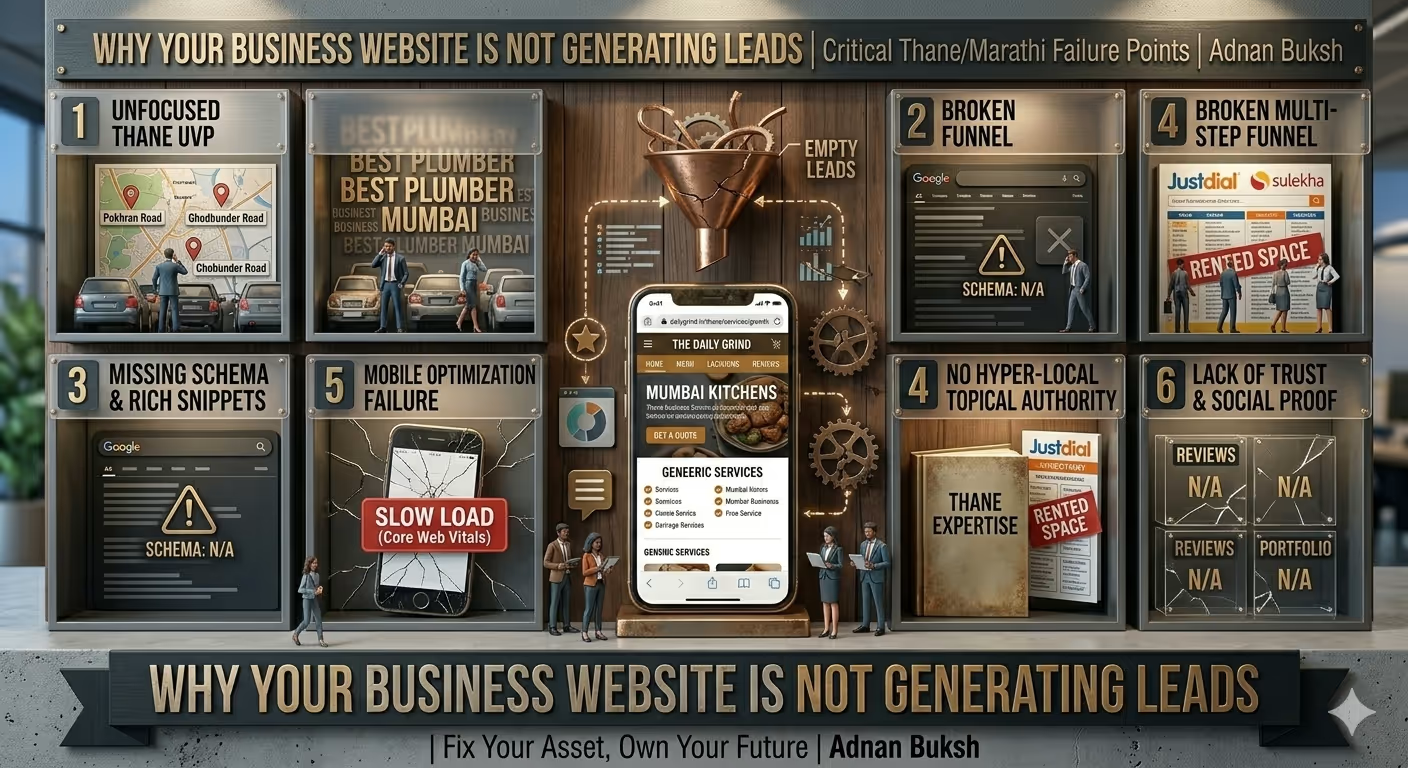
Your website is not generating leads because it fails at one or more fundamental levels of trust, clarity, performance, or technical health. Let me walk you through exactly why that happens, and what specifically blocks those conversion goals.
This is where we have to start. You can have the most persuasive copy in the world, but if the wrong people land on your site, or nobody lands there at all, the lead count stays at zero.
Many business owners treat their website like a Yellow Pages listing. They build it and assume Google will just know they exist. That is not how search engines work.
If you are running a WordPress site, ask yourself some uncomfortable questions.
I have audited sites where the “Discourage search engines from indexing this site” box was accidentally checked in WordPress Settings > Reading. It happens. Weeks or months of invisibility, caused by a single checkbox.
Beyond basic settings, there is the question of content relevance. Google does not rank “websites”. It ranks pages based on how well they satisfy a user’s search intent. If your homepage targets “affordable web design” but your portfolio only shows enterprise-level projects, the mismatch confuses both Google and the visitor. The traffic you do get bounces immediately.
When traffic is genuinely the issue, it is often a content gap. You need to publish information that answers the specific questions your potential clients type into search. This is not about blogging for the sake of blogging. It is about creating what I call “intent-matched” pages.
If you want to attract local leads, you also need technical consistency there. Your Google Business Profile, your website contact page, and your schema markup all need to tell the same story about your location and service area.
Sometimes, businesses simply need an experienced perspective on where the disconnect lies. Working with a freelance SEO expert can uncover whether you are invisible to search engines or visible to the wrong audience.
Speed is no longer a “nice to have”. It is a conversion killer and a ranking factor.
Consider this: if your site takes more than three seconds to load, over half of your mobile visitors will leave before they see anything. They never read your value proposition. They never see your testimonial slider. They just see a white screen, get impatient, and open your competitor’s site.
WordPress itself is fast. The problem is what we add to it.
Every plugin adds code. Some plugins add a lot of code. I have opened slow sites to find five different slider plugins, three contact form plugins, and a page builder that loads styles and scripts on every single page, including blog posts where they are not used.
Then there are images. If you upload a 5MB JPEG straight from your camera and serve it as-is, you are forcing your visitors to download unnecessary data. Tools like WebP conversion and lazy loading exist for a reason.
Hosting matters immensely. Shared hosting that costs three dollars per month works for a hobby blog. It does not work for a business website trying to generate leads. When traffic arrives, the server struggles to respond. The technical term for this is Time to First Byte (TTFB). If your TTFB is high, nothing else you optimise will matter enough.
Think about the user experience. Someone clicks a link to your site because they have a problem you solve. They are ready to buy, or at least ready to research. A slow site tells them, subconsciously, that you are disorganised. It breaks the trust loop before it even starts.
If you suspect speed is your issue, you need to look at Core Web Vitals in Google Search Console. Are your Largest Contentful Paint (LCP) scores in the red? Is your Cumulative Layout Shift (CLS) high because images load late and push buttons around? These are not just developer metrics. They directly affect whether a visitor stays or clicks back.
For sites that have become bloated, a targeted wordpress speed optimization service can strip away the unnecessary weight and get pages loading in under two seconds again.
This is the “pretty but useless” category. I see business websites that look like art projects. They have large background videos, fading animations, and a layout that seems to exist just to look modern.
But when a visitor lands, they have to hunt for the next step.
A website that generates leads has one primary goal per page. On the homepage, the goal might be to get visitors to view your services. On a service page, the goal might be to fill out a contact form.
If your homepage has ten different buttons linking to ten different places, you have not prioritised anything. You have confused the visitor. Confused people do not fill out forms. They leave.
This is where information architecture comes in. The navigation menu should reflect how your clients think, not how your company is structured internally. Your call-to-action (CTA) should be above the fold, but also repeated later, because people need to see a message multiple times before they act.
I design and build mobile-first. Many business owners check their site on a desktop, approve it, and never view it on a phone. Yet their leads might be browsing on mobile during a commute.
If your mobile menu is hard to tap, if the font size is too small, or if the contact form stretches off the screen, you are bleeding leads. This is not about “responsive design” being a checkbox feature. It is about the practical experience of a thumb trying to navigate your content.
Building a site that balances aesthetics with conversion focus is the core of what I do. For businesses needing a fresh start, affordable web design for small business projects must prioritise clear user pathways over decorative fluff.
Trust is the hidden currency of the web. If a visitor does not trust you, they will not hand over their email address or phone number.
Where are your testimonials? Are they buried on a separate page, or are they visible next to your calls to action? If you have been in business for years but your website looks brand new with no reviews, it raises suspicion.
Logos of companies you have worked with, even small ones, build credibility. Case studies, even anonymised ones, show that you have solved problems before.
I read a lot of About pages. Many of them are written in corporate-speak: “We are committed to delivering synergistic value to our stakeholders.” Nobody talks like that.
Your About page should explain why you started the business, what you believe about your industry, and who you serve. People buy from people. If your website feels like a faceless corporation, visitors will hesitate to contact you.
Do you have an SSL certificate installed properly? Browsers now actively warn users if a site is not secure. That warning is a conversion killer.
Is your contact information consistent across the site? If your footer shows a phone number, but your contact page shows a different one, it looks sloppy. Sloppiness implies you might be sloppy with client work too.
And what about your privacy policy and terms of service? These pages show you take your legal obligations seriously, which matters more to potential clients than many business owners realise.
The contact form is the gateway to your leads. Yet it is often the most neglected element on the site.
I understand you want qualified leads. You want to know their budget, their timeline, their shoe size, and their mother’s maiden name. But every field you add reduces the chance of form submission.
Ask for the absolute minimum: name, email, message. You can qualify them on the phone call. The goal is to start a conversation, not to complete a database entry before they have even spoken to you.
This sounds basic, but I have tested sites where the contact form simply did not send email. The business owner assumed it worked because they tested it once, two years ago. A plugin update broke the email functionality, and they have been missing leads for months.
Test your forms regularly. Use a different email address. Check your spam folder too. Sometimes the form works perfectly, but your email server flags the notification as spam, and it sits there unread.
Does your form give clear error messages? If a user misses a field, does the form just refresh with a vague “an error occurred” message, or does it highlight exactly what they need to fix?
Do you use CAPTCHAs that ask people to identify traffic lights for the tenth time? Those blocks stop bots, but they also annoy humans. There are better, invisible spam protection methods available.
This is the silent killer. Someone does fill out your form. Great. Then what?
If the response is a generic “thank you” email that lands three days later, you have already lost the momentum. The lead has probably contacted someone else by then.
Studies show that contacting a lead within five minutes dramatically increases your chances of conversion. If you are a small business owner wearing many hats, that is hard to do. But if you cannot respond quickly, you need to set expectations.
An auto-responder that says “Thanks for your message. I will be in touch within 24 hours” sets a reasonable expectation. It also gives the lead a way to add you to their address book so your reply does not go to spam.
What happens after they submit? Are they just left on a blank “thank you” page? That is a wasted opportunity. You could direct them to a relevant case study, a portfolio piece, or an FAQ section that answers common follow-up questions. Keep them engaged with your brand while they wait for your personal reply.
Websites are not “build it and forget it” assets. They are more like cars. If you never change the oil, the engine seizes.
WordPress core, themes, and plugins release updates constantly. Some updates are security fixes. Some are feature improvements. If you ignore them, you eventually run an outdated site.
An outdated plugin is a security risk. If your site gets hacked, it might be flagged by Google as unsafe. Visitors will see a red warning screen before they even reach your content. No leads will come from that.
Regular backups are essential. If something breaks, you need to be able to restore the site quickly. Downtime costs leads.
Beyond the code, the content needs attention. If your copyright footer still says 2022, it signals neglect. If your latest blog post is three years old, it signals that you are no longer active.
You do not need to post weekly, but the site should feel alive. Update your portfolio. Add new testimonials. Refresh your service descriptions if your offerings have changed. A maintained site tells Google and visitors that you are still in business and still care.
For business owners who would rather focus on their actual work than on plugin updates and security patches, a structured wordpress maintenance services plan removes that technical burden entirely.
If your business website is not generating leads, it is not because you need a “better website” in some vague, magical sense. It is because one or more specific components are failing.
Maybe the search engines cannot properly read your pages. Maybe the slow loading speed drives visitors away before the page finishes. Maybe the design lacks a clear call to action, leaving visitors confused. Maybe your forms are broken, or your follow-up is too slow.
The solution is not to throw more money at a redesign without understanding the root cause. The solution is diagnosis. You need to look at your analytics, your search console data, your page speed reports, and your conversion paths. You need to strip away assumptions and look at the data.
When you identify the exact friction point, you can fix it. And when you fix those friction points, the leads will follow. It is not magic. It is just building a website that actually works for your business.


Working with Adnan has been a pleasure. Better yet - I alerted them of a site hacked issue before going to sleep. The issue was fixed the next morning. I couldn't ask for better support. Thank you Adnan! This is easily a 5 star freelancer.

Adnan understood our business needs perfectly and delivered a website that exceeded our expectations. The design is modern, the functionality seamless, and our online presence has never looked better. Highly recommend their services!

As a gym owner, I'm thrilled with Adnan's exceptional web development service. The website he's built is visually stunning and highly functional. I highly recommend Adnan for businesses seeking to elevate their digital presence.

Love the website design by Adnan Buksh. It's modern and just what I wanted. Highly recommend!





Online • Typically replies in minutes

